Prologue: Go Wayback
ShippedUE5 Gameplay Programmer
PLAYERUNKNOWN Productions & BlackSheep Studio
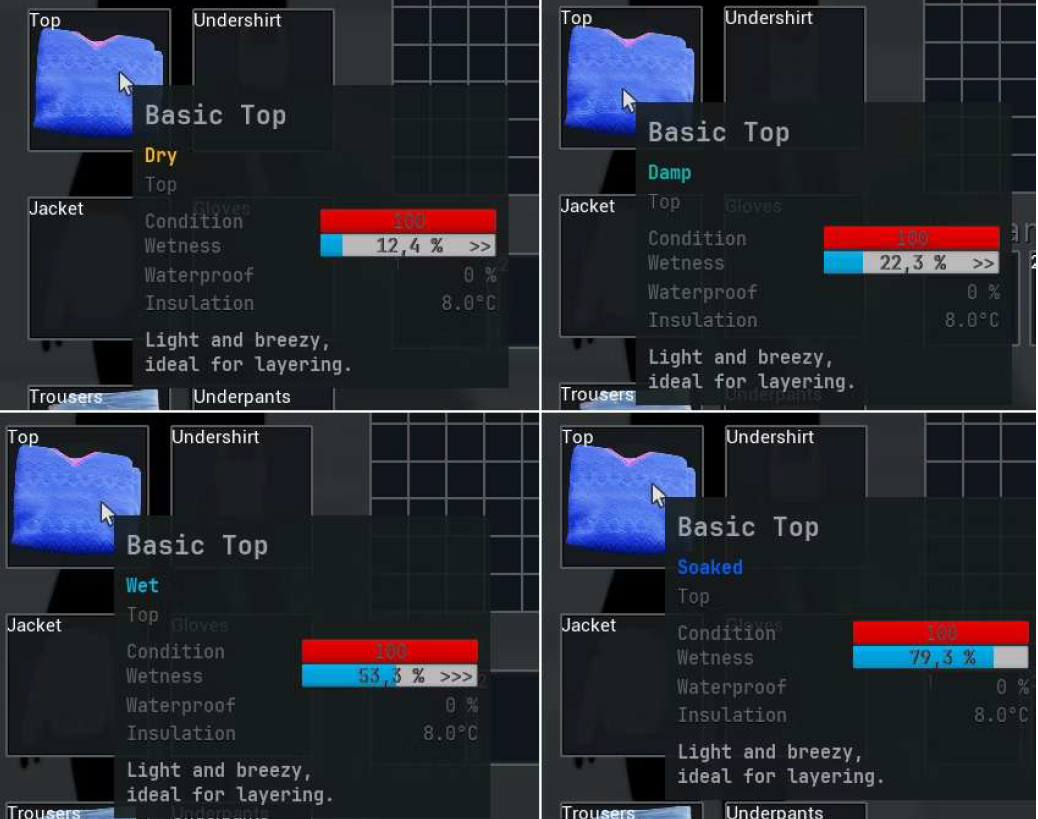
Wetness System in the Inventory - Items track moisture levels from Dry to Soaked with visual feedback
Overview
I got involved in the project from the initial prototyping phase. As a Gameplay Programmer at PlayerUnknown Productions on Prologue using Unreal Engine 5.5 until 5.7, I've had the opportunity to work on a variety of systems that directly impact player experience. The game is a survival experience set in a vast open world, requiring robust systems that handle environmental interaction, building mechanics, and tool usage. My primary contributions include the Dynamic Wetness System, which simulates realistic water interaction based on weather conditions, and the Boarding System for player construction. I've also worked extensively on the tools framework, ensuring consistent behavior and audio integration across all player tools.
Key Contributions
- Boarding and character interaction systems (item dropping, equipping, stacking)
- UI and settings menus with CommonUI and full gamepad support
- Gameplay tools and items implementation
- Advanced wetness simulation with environmental factors and clothing layers
- Layer-based clothing system for water penetration simulation
- Body-region progressive wetness for water immersion
- Enhanced Input gamepad support with dynamic UI prompts
- Significance Manager integration for performance optimization
- Technical support and tools for designers and audio teams
Technical Systems
Dynamic Wetness System
Simulates how items and the player get wet or dry based on weather, temperature, ground conditions, and clothing layers.
- Environment sensor provides rain intensity, ground wetness, wind, and temperature
- Each item tracks water content, wetting/drying rate, and material properties
- Clothing layers interact - outer layers protect inner layers with leak mechanics
- Body wetness aggregated from all equipped clothing for gameplay effects
System Architecture
Boarding System
Two-step building action for placing wooden boards onto windows or frames with pivot-based rotation.
- Building Manager handles item selection and placement location
- Buildable Component manages preview behavior and final placement
- Step 1: Player confirms first anchor point (pivot)
- Step 2: Board rotates around pivot using camera-plane math
- Inventory sources merged into single pool for seamless material cycling
System Architecture
Tools Backend & UI
Tool framework and implementations including binoculars, hammer, with audio integration.
- Modular tool framework for easy designer configuration
- Consistent SFX triggering across all tools
- Settings screens and interaction prompts
- CommonUI standardization across the project